
Brisk — October 2026

Hey there, Brisk friends!
October was the biggest month for Brisk so far.
A huge thank you to everyone who shared feedback and helped us decide what to improve. Your input helps shape what we build.
Features
-
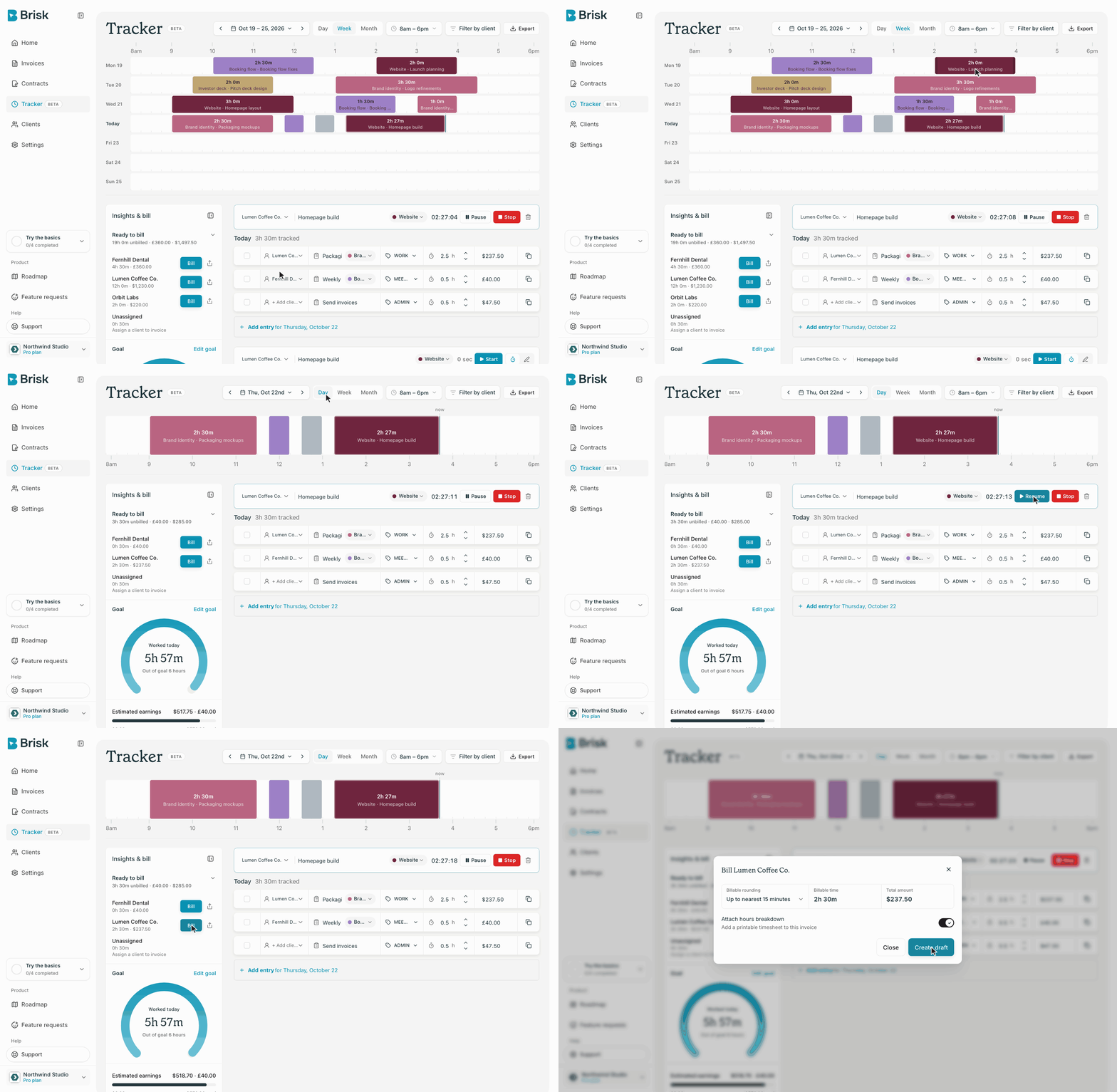
Time Tracker is live Open Tracker in the sidebar to track your time against a client and a task. Start the timer, pause it when you step away, and stop it when you're done. The timer is saved to your account, so it keeps running if you close the tab, and you can add hours by hand when you forget to start it. Your time shows on a Day, Week or Month timeline, next to a daily goal and a split of your hours by client. Tracker keeps its BETA badge while we polish it.
-
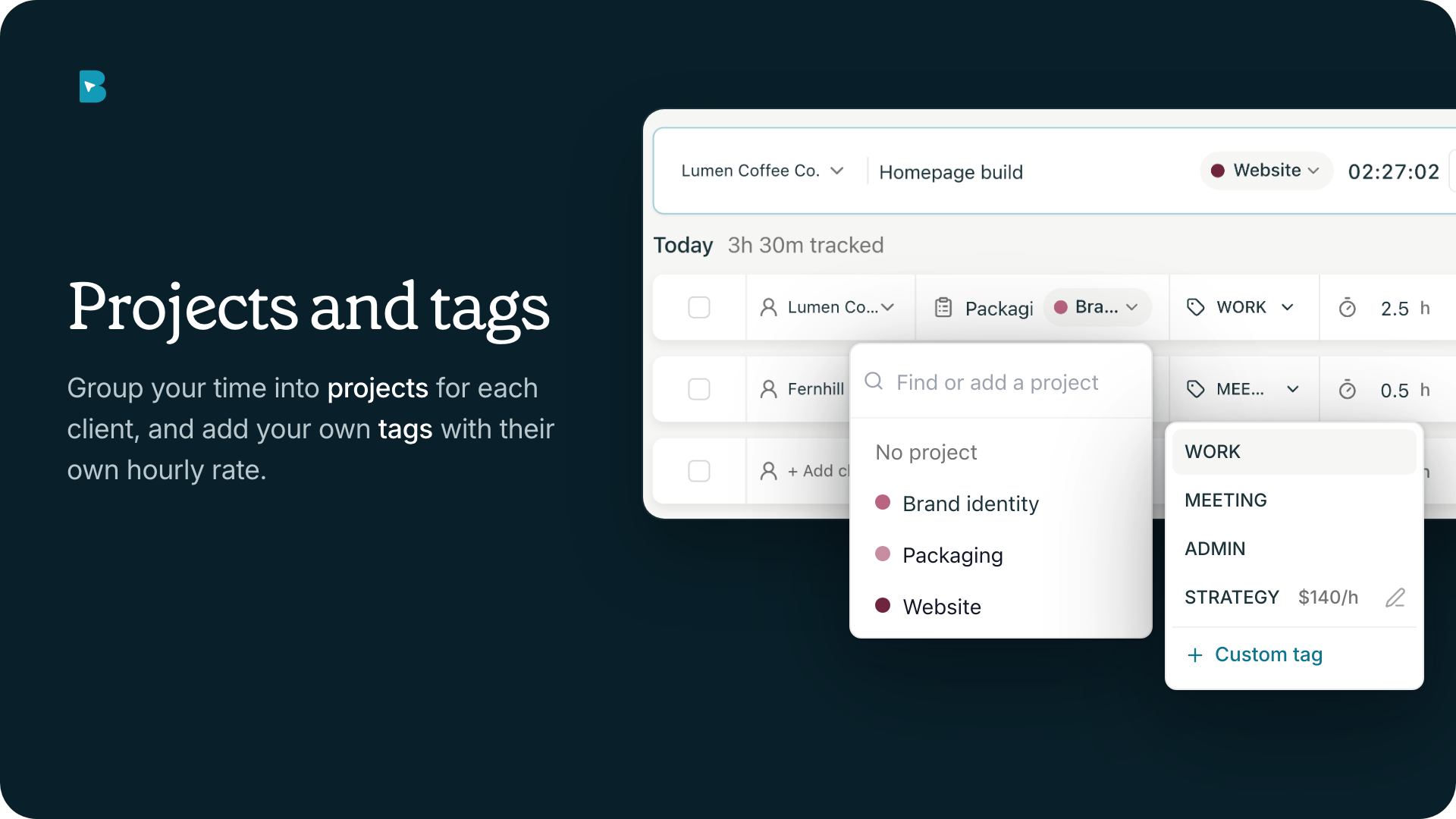
Projects, tags and currencies in Tracker You can group your time into projects for each client, and each project gets its own shade of the client's colour on the timeline. Next to Work, Meeting and Admin, you can add your own tags and give a tag its own hourly rate. Each client can have their own rate and currency, and totals are shown per currency instead of being added together. You can also choose which hours the timeline shows, like 8am to 6pm.
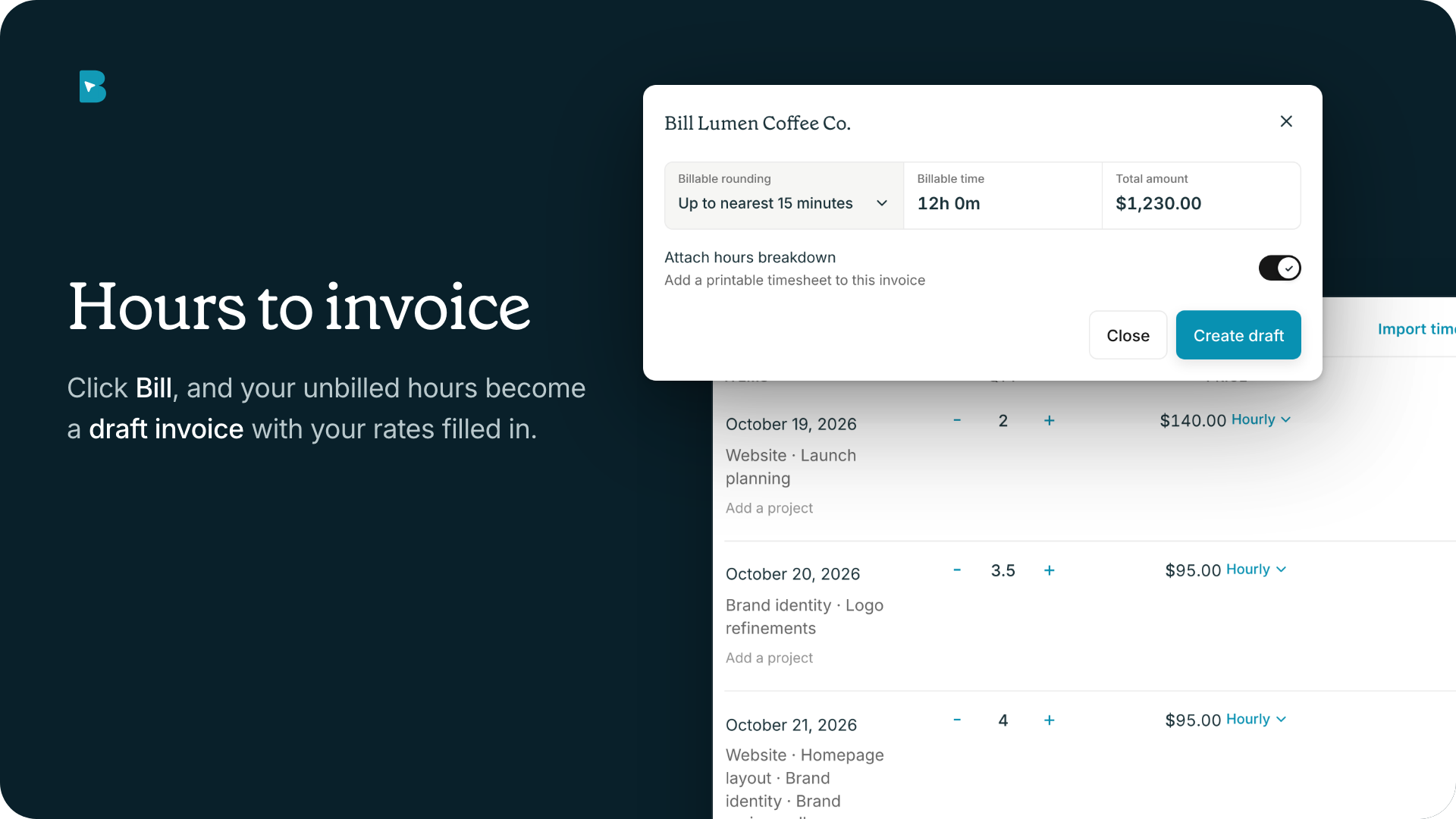
- Turn your hours into an invoice Ready to bill shows your unbilled hours for each client. Click Bill, choose how to round the time, and Brisk creates a draft invoice with your hours and rates filled in. You can attach an hours breakdown, which is a printable timesheet your client gets with the invoice.
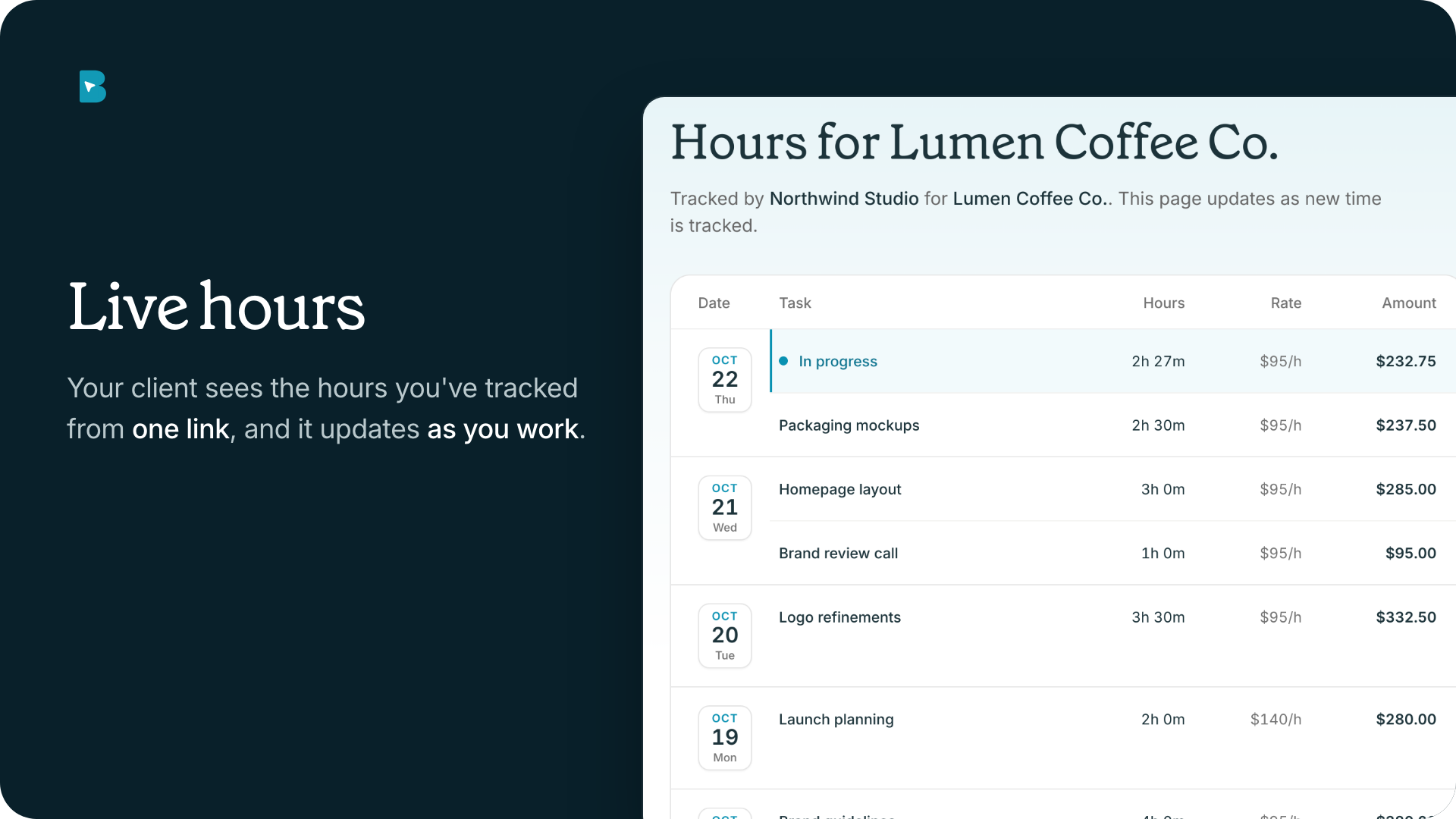
- Live hours for your clients Send a client a link, and they see the hours you've tracked for them so far, updated as you work. You can also export a timesheet as a PDF or CSV for any day, week or month.
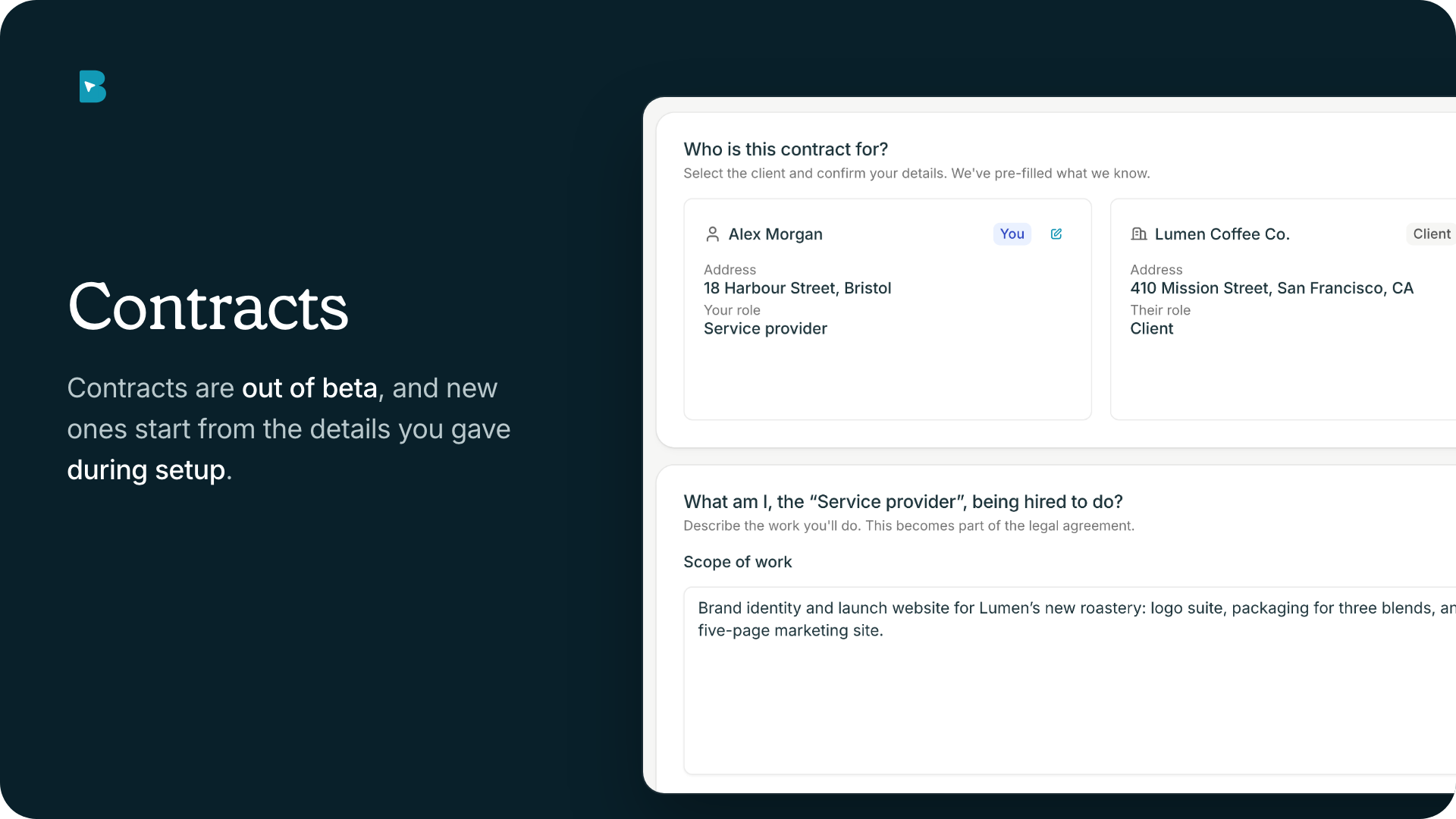
- Contracts are out of beta Contracts no longer carry the BETA badge. Drafting a contract is free on every plan, and sending one for signature is part of Pro. New contracts now start from the details you gave during setup, in your base currency, and the client and service provider details each have their own dialog.
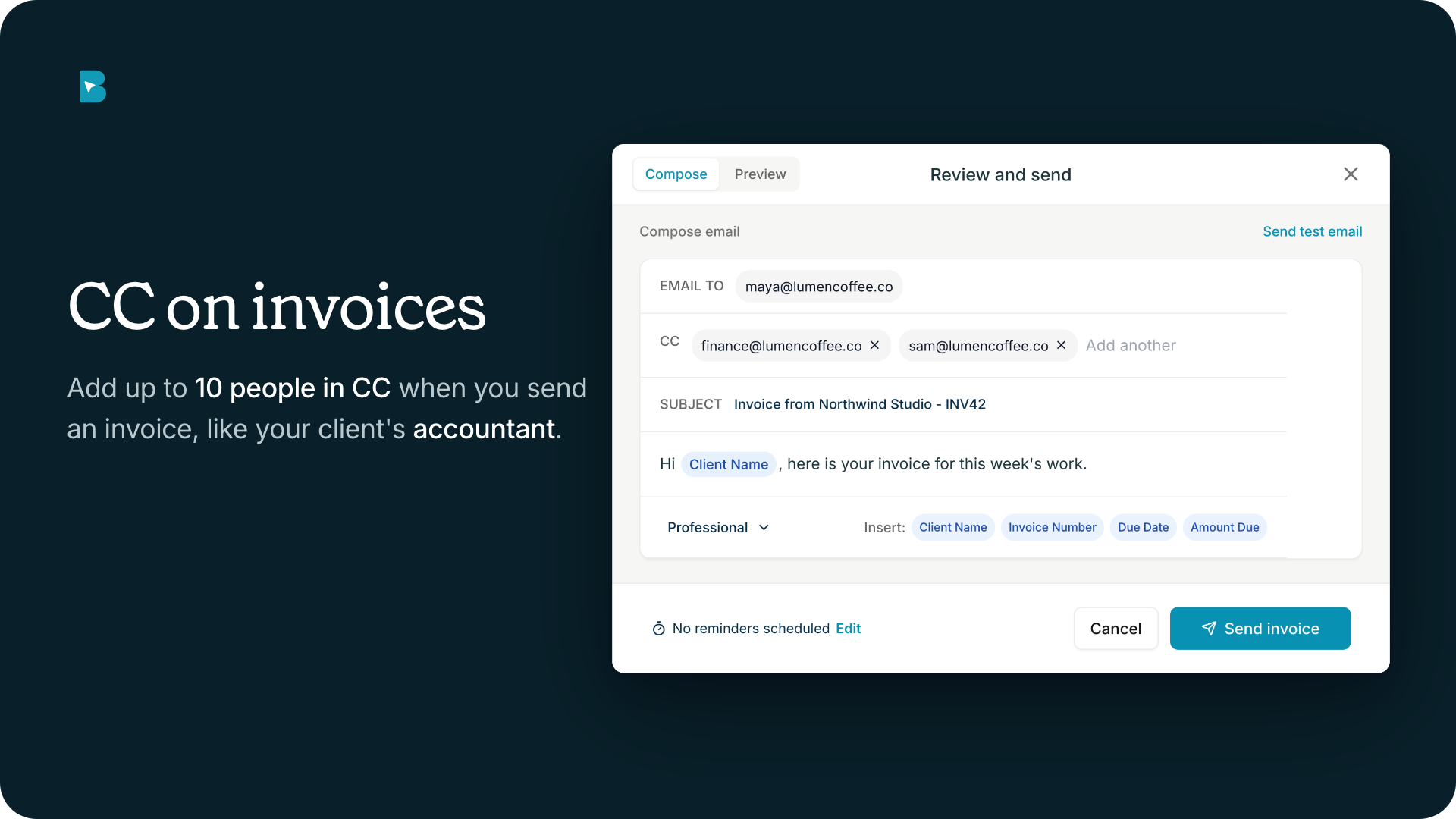
- CC and Mark as sent When you send an invoice, you can add up to 10 people in CC, like your client's accountant. If you deliver an invoice yourself, download the PDF and use Mark as sent, so Brisk records it as sent.
Improvements
-
Currency picker: Every currency now shows its flag, symbols are formatted correctly, and the picker on an invoice is only as wide as the currency you chose.
-
Card payments: Invoices your client pays by card no longer show your bank details on the invoice page, the PDF or the preview.
-
Invoice numbers: Invoice numbers can now be up to ten digits long.
-
Settings: Company details are grouped into Business, Location and currency, and Brand settings.
-
Tax ID: Invoices no longer show an empty tax ID label when you don't have a tax ID.
-
Billing: Upgrade in the plan comparison goes straight to checkout, and the Cancel plan button no longer shows once a plan is cancelled.
-
Accessibility: Keyboard focus stays inside dialogs and Escape closes them, text fields no longer zoom in on iPhone, buttons on phones are easier to tap, low-contrast grey text is easier to read, and animations respect your reduced-motion setting.
Fixes
-
PDF logo: Downloaded PDFs now always show your current logo instead of an old one.
-
New clients in Tracker: Adding a new client from Tracker no longer fails with "Invalid request content".
-
Home page: The numbers on the stat cards are no longer cut off.
Thanks for being here
Time Tracker is the headline this month, and it's the feature freelancers asked us for most. It's still marked BETA while we smooth out the rough edges, so tell us where it gets in your way.
Open Tracker in your sidebar, start a timer on your next task, and tell us what feels off. Every note shapes what we ship next.
Thanks for being part of our community and helping us build a better way to work.